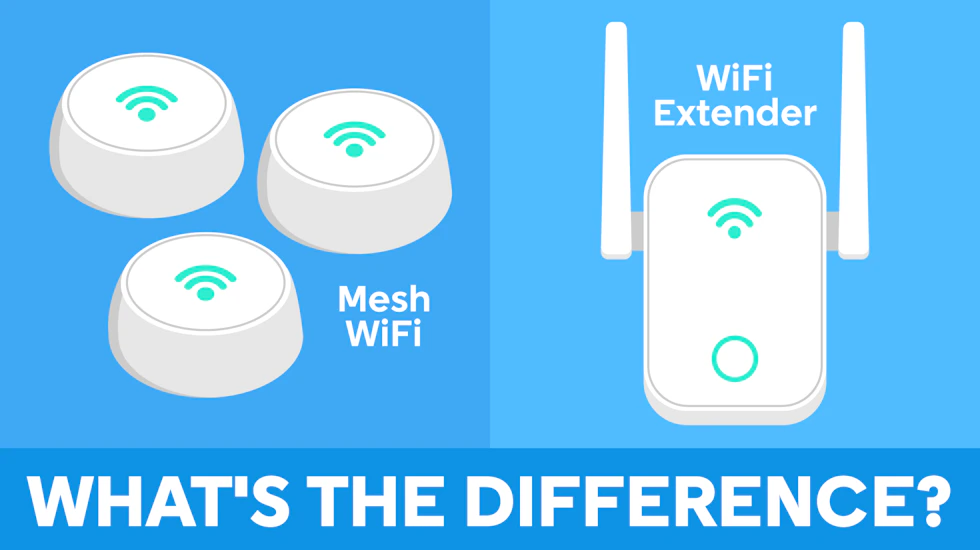
WiFi dead spots in the home are major pains and can lead to arguments among household members.
There are methods to reduce said conflicts, but with two strong options available, it’s important to know how they differ and which is right for your situation.
What is a WiFi extender?
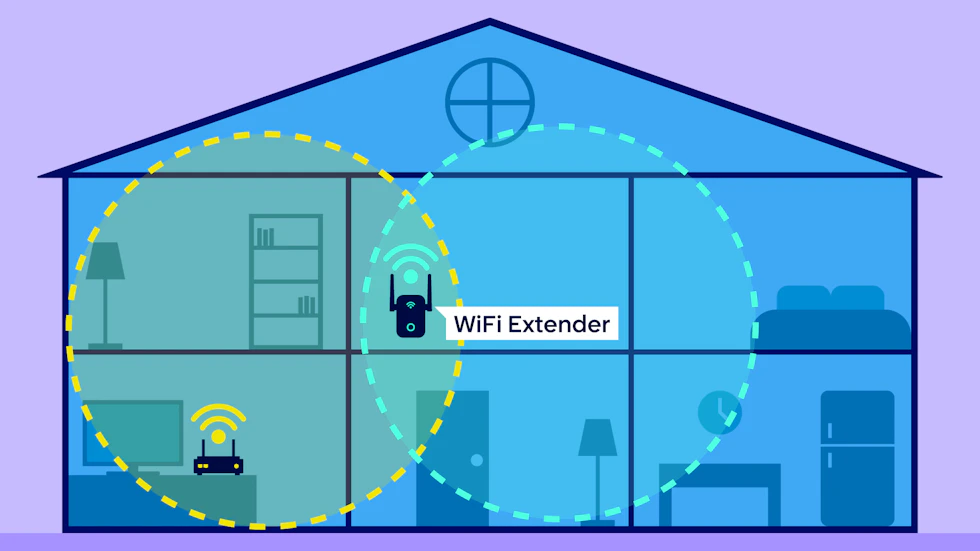
A WiFi extender is a device designed to improve wireless coverage in areas of your home where your router’s signal is weak.
It works by connecting to your existing WiFi network and rebroadcasting the signal over a wider area. This can help eliminate dead spots in rooms that are too far away from your router or separated by thick walls, floors or other obstacles.
WiFi extenders are usually plugged into a mains socket somewhere between your router and the area with poor coverage. For the best results, the extender needs to be close enough to your router to receive a strong signal, while also being near enough to the problem area to make a noticeable difference.
Depending on the model, a WiFi extender may create a separate wireless network for you to connect to, although some newer models can use the same network name and password as your router.
What are the advantages of a WiFi extender?
One of the biggest advantages of a WiFi extender is its affordability. A single extender is usually much cheaper than buying a full mesh WiFi system, making it a good option if you only need to improve coverage in one part of your home.
They are also relatively simple to install and can usually be used with your existing broadband router without replacing any equipment.
A WiFi extender can be particularly useful in a smaller home where your connection is generally reliable but struggles to reach one bedroom, office or other isolated area.
What are the disadvantages of a WiFi extender?
The main drawback of a WiFi extender is that it may not deliver the same speeds as connecting directly to your router. Because the extender has to receive and then retransmit your WiFi signal, performance can be reduced, particularly with cheaper or older models.
Placement is also important. If you put the extender too far away from your router, it may simply rebroadcast an already weak signal.
Some extenders also create a separate WiFi network, which can mean your phone, laptop or other devices do not always switch automatically to the strongest connection as you move around your home.
For larger homes or properties with several WiFi dead spots, using multiple extenders can also become less convenient than using a dedicated mesh WiFi system.
What is mesh WiFi?
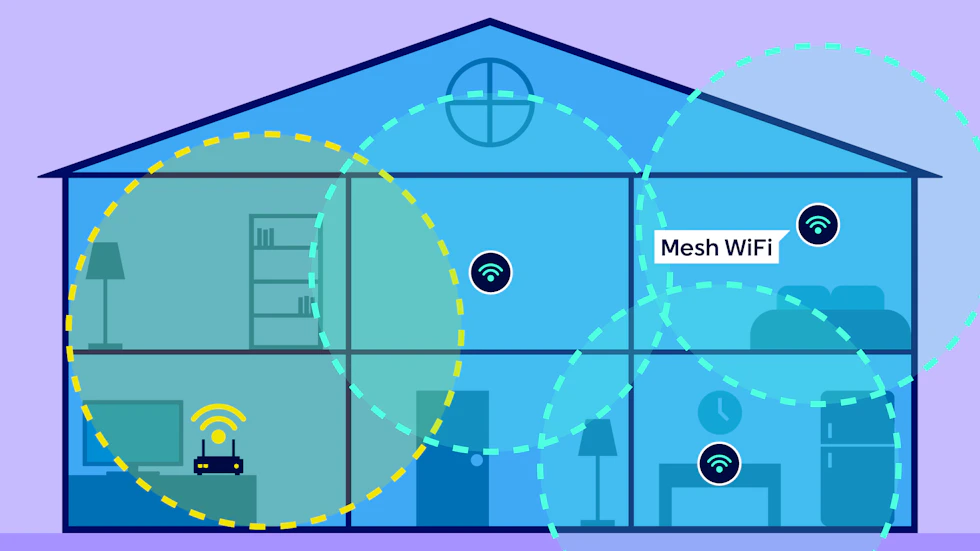
Mesh WiFi is a whole-home wireless system that uses multiple devices, often called nodes or points, to provide WiFi coverage throughout your property.
Instead of relying on a single router to reach every room, a mesh system places several connected nodes around your home. These nodes communicate with each other to create one larger WiFi network, helping provide a stronger and more consistent signal in areas that may be difficult for a standard router to reach.
Unlike many traditional WiFi extenders, mesh systems generally use one network name and password. Your devices can automatically connect to the most suitable mesh node as you move around the house, so you should not need to manually switch between different networks.
Some mesh systems replace your existing router, while others connect to the router supplied by your broadband provider.
What are the advantages of mesh WiFi?
The biggest advantage of mesh WiFi is its ability to provide more consistent coverage across a larger area. This makes it particularly useful for bigger homes, multi-storey properties and homes with several areas where the router signal is weak.
Because all the nodes form part of the same network, moving around your home is generally more seamless than it is with a traditional WiFi extender. Your devices can switch between nodes automatically depending on which one offers the best connection.
Mesh systems are also designed to be expandable. If you need more coverage, you can often add another compatible node rather than replacing the entire system.
Many mesh WiFi systems also come with an app that makes it easier to set up the network, check connected devices and manage settings.
What are the disadvantages of mesh WiFi?
Mesh WiFi systems are usually more expensive than a standard WiFi extender, particularly if you need several nodes to cover your home.
They may also be unnecessary if your existing router already provides good coverage throughout most of your property and you only need to fix one small dead spot.
Although mesh WiFi can improve coverage and help you get more consistent speeds around your home, it cannot increase the maximum speed of your broadband connection. Your overall internet speed will still depend on factors such as your broadband package, your provider and the quality of the connection entering your home.
As with WiFi extenders, the positioning of mesh nodes can also affect performance, so they need to be placed where they can maintain a reliable connection with the rest of the system.
WiFi extender vs mesh WiFi: what’s the difference?
WiFi extenders and mesh WiFi systems both aim to improve wireless coverage around your home, but they work in different ways. A WiFi extender takes the signal from your existing router and rebroadcasts it into an area with weaker coverage, while a mesh WiFi system uses several connected nodes to create a single network across your home.
Here’s how they compare:
| Feature | WiFi extender | Mesh WiFi |
| How it works | Picks up your router’s WiFi signal and rebroadcasts it to extend its range. | Uses several connected nodes placed around your home to create one wider WiFi network. |
| Coverage | Best for improving coverage in one or two specific areas. | Designed to provide more consistent coverage throughout larger homes. |
| WiFi network | Some extenders create a separate network that you may need to connect to manually. | Usually provides one network name and password across all nodes. |
| Moving around your home | Your device may not automatically switch to the extender when it has a stronger signal. | Devices can generally move between nodes automatically to maintain the best available connection. |
| Speed | Speeds can be reduced when connecting through the extender, particularly with older or cheaper models. | Can provide more consistent speeds around the home, although performance still depends on the system and node placement. |
| Setup | Usually straightforward and works with your existing router. | Typically requires a little more setup, although many systems use an app to guide you through the process. |
| Expandability | You can add more extenders, but managing several can become inconvenient. | Most systems allow you to add compatible nodes if you need more coverage. |
| Cost | Usually the cheaper option. | Generally more expensive, particularly if you need several nodes. |
| Best for | Smaller homes or a single WiFi dead spot. | Larger or multi-storey homes with several areas of weak WiFi. |
Is mesh WiFi faster than a WiFi extender?
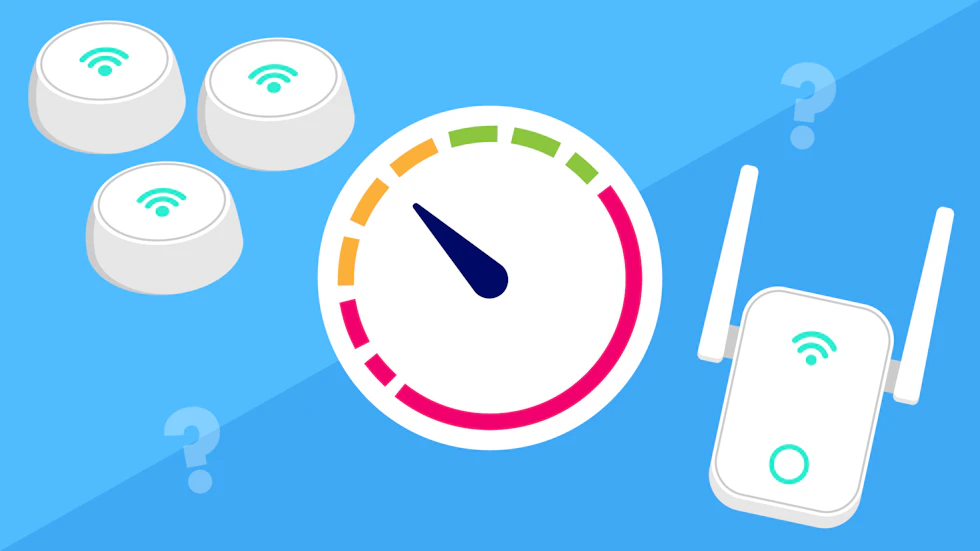
Mesh WiFi is not automatically faster than a WiFi extender, but it can often provide more consistent speeds around your home.
A traditional WiFi extender receives the wireless signal from your router and then rebroadcasts it. This extra step can reduce the speed available to devices connected through the extender, particularly with older or more basic models.
Mesh WiFi systems are designed to handle this more efficiently. Because the nodes work together as part of the same network, they can usually provide a stronger and more stable connection across a wider area.
Some mesh systems also use a dedicated wireless connection between nodes, known as backhaul, which can help reduce the impact on speeds.
However, the actual performance you get will depend on the equipment you use, where it is positioned and the speed of your broadband connection. A well-placed modern WiFi extender may still perform very well, while a poorly positioned mesh node can struggle.
It is also important to remember that neither a WiFi extender nor a mesh system can increase the maximum speed of the broadband connection coming into your home. Their main purpose is to help more of that available speed reach devices in areas where your router’s WiFi signal is weak.
Can you use a WiFi extender with mesh WiFi?
You can use a WiFi extender with some mesh WiFi systems, but it is not usually the best option.
Because mesh systems are designed to work as one connected network, adding a standard extender can make the setup less seamless and may create a separate WiFi network.
If you need more coverage, it is generally better to add another compatible mesh node instead.
Should I get a WiFi extender or mesh WiFi?

The best option depends on the size of your home, where you have WiFi problems and how much you want to spend.
A WiFi extender may be enough if your connection is generally good but you have one or two areas with a weak signal. They are usually cheaper and simpler to add to an existing setup.
A mesh WiFi system may be more suitable if you have a larger or multi-storey home, several WiFi dead spots or want more consistent coverage throughout the property.
Neither is necessarily better for everyone, so it is worth considering how much extra coverage you actually need before deciding.
Alternatives to WiFi extenders and mesh WiFi
Before buying a WiFi extender or mesh system, there are a few other ways you may be able to improve your connection.
- Reposition your router: Moving it to a more central, open position can help the signal reach more of your home.
- Use an Ethernet cable: A wired connection can provide faster and more stable performance for devices such as PCs, games consoles and smart TVs.
- Try powerline adapters: These use your home’s electrical wiring to carry the internet connection to another room.
- Upgrade your router: An older router may not offer the same range, speeds or WiFi standards as a newer model.
- Check with your broadband provider: Some providers offer their own WiFi boosters or whole-home WiFi systems, sometimes as part of a broadband package or optional add-on.