Internet feeling a little sluggish?
There are more factors than you might think that could be slowing down your connection. Your broadband package isn’t always to blame; from household appliances to where you place your router, these often overlooked elements could be quietly killing your WiFi speeds.
1. Microwaves
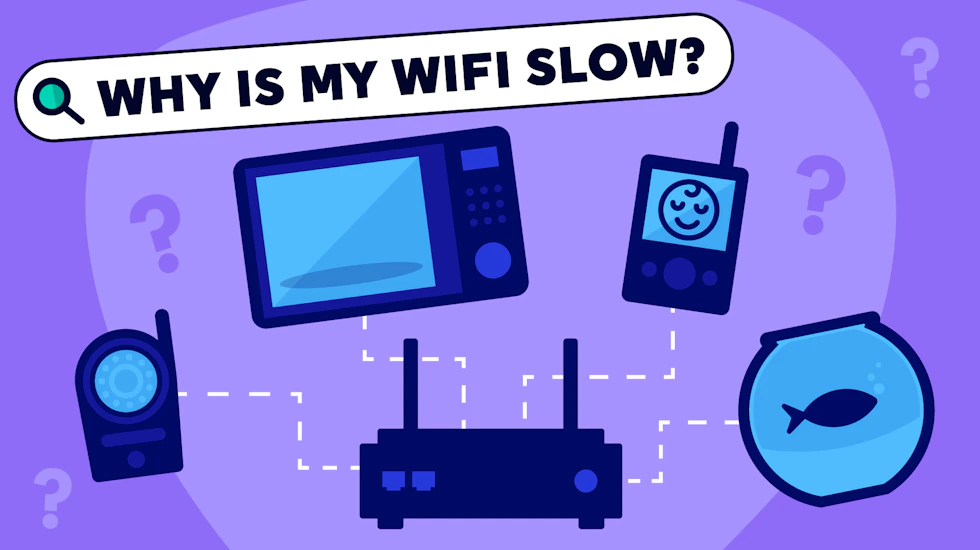
Believe it or not, this humble appliance can cause issues with your internet connection. Without getting too technical, microwaves operate around the same 2.4GHz frequency used by most WiFi routers, which creates interference while they’re running.
Genius Tip: Switch your router to the 5GHz or 6GHz band (if your router supports it) to avoid any interference. Or simply move your router further away from the kitchen.
2. Fish tanks
Yes, really. Your WiFi router works by turning digital data into transmittable radio signals, and water is notoriously good at absorbing radio waves. So, if there happens to be a large aquarium between your router and your devices, it might just be weakening your connection.
Other radio-gobbling culprits include radiators and brick or concrete walls, and large mirrors can actually reflect signals away, causing interference.
3. Baby monitors
Similar to microwaves, devices like baby monitors and cordless phones – plus Bluetooth devices and some smart home gadgets – all operate on the same frequencies as your WiFi router. With so many devices competing for bandwidth, it’s no surprise that your WiFi signal might be affected.
Genius tip: Keep your router away from other electronics where possible, and spread your smart devices across multiple bands.
4. Cupboards
Just to be clear, it’s not the items of furniture themselves that can cause issues, but how people often use them. Many people hide their router away in a cupboard or behind a TV, but enclosing routers can dramatically reduce their signal.
The fewer things a WiFi signal needs to get through to reach your device, the clearer its signal will be. Instead of tucking it away, try moving your router:
- High up
- Out in the open
- Near the centre of your home
5. Your neighbour’s WiFi
If you live in a flat, a terraced house or even just a densely populated street, you might experience some interference from your neighbours’ routers. It makes sense – with dozens of routers operating in the same space, on the same channels, you’d expect some congestion.
Genius tip: Many modern routers can switch automatically to the least congested channel, or you can always change it manually.