Whether you’re browsing at home, working remotely or using public Wi-Fi, keeping your personal information secure online has never been more important.
With so many cybersecurity tools available, it’s easy to be confused as to what’s exactly needed and when, with a VPN being one tool that often goes under the radar for most.
Whether you’re looking to bolster your knowledge of VPNs or are a complete beginner and want to understand them, allow us to explain what a VPN is, how it works, its pros and cons, all in the aid of helping you decide whether using one is the right choice for you.
What Is a VPN?
A VPN, or Virtual Private Network, is a service that helps make your internet connection more private and secure. It acts as an extra layer of protection between your device and the websites or online services you use, helping to keep your personal information safe while you’re browsing the web.
Originally developed for businesses to allow employees to securely access company networks from remote locations, VPNs are now widely used by everyday internet users.
Whether you’re shopping online, checking your bank account or simply browsing social media, a VPN can help protect your data and make it more difficult for third parties to monitor your online activity.
How does a VPN work?
A VPN works by creating a secure, encrypted connection between your device and the internet. Instead of your data travelling directly from your phone, laptop or tablet to the website you’re visiting, it first passes through a secure VPN server.
This helps protect your information from anyone who might try to intercept it, such as hackers on public Wi-Fi or other third parties.
Encrypting your internet traffic
One of the main jobs of a VPN is to encrypt your internet traffic. Encryption is the process of scrambling your data into unreadable code while it’s being sent across the internet.
If someone were to intercept your connection, they wouldn’t be able to understand the information without the correct encryption key.
This is particularly useful when using public Wi-Fi networks in places like cafés, hotels or airports, where unsecured connections can make it easier for cybercriminals to access personal data.
Hiding your IP address
Every device connected to the internet has an Internet Protocol (IP) address, which acts like a digital address and can reveal your approximate location and internet service provider.
A VPN hides your real IP address by replacing it with the IP address of the VPN server you’re connected to.
This makes it more difficult for websites, advertisers and other organisations to identify your device or track your online activity based on your IP address.
Routing your data through secure servers
When you connect to a VPN, your internet traffic is routed through one of the provider’s secure servers before reaching its destination. The website or online service you visit sees the VPN server rather than your own device, adding another layer of privacy to your browsing.
Most VPN providers operate servers in multiple countries, allowing users to choose where their internet traffic appears to originate from. While this can provide additional privacy and may allow access to region-specific content when travelling, the primary purpose of a VPN is to create a more secure and private internet connection.
Are VPNs legal in the UK?
Yes, VPNs are completely legal to use in the UK. There are no laws preventing individuals or businesses from using a Virtual Private Network to protect their online privacy and security.
That said, using a VPN doesn’t make illegal activities legal. You’re still expected to comply with UK laws and the terms of service of any websites or online platforms you use.
For example, while a VPN may allow you to appear as though you’re browsing from another country, using one to access content in breach of a streaming service’s terms and conditions could result in your account being restricted.
For most people, however, using a VPN simply provides an extra layer of privacy and security when browsing the internet.
Why do people use VPNs?
People use VPNs for a variety of reasons, but the main goal is usually the same: to improve their online privacy and security. Whether you’re working remotely, using public Wi-Fi, travelling abroad or simply browsing the web at home, a VPN helps make it harder for third parties to access your data or monitor your online activity.
One of the biggest reasons people choose a VPN is to protect sensitive information when using unsecured public Wi-Fi networks in places like cafés, airports and hotels. By encrypting your internet traffic, a VPN helps prevent hackers from intercepting personal data such as passwords, banking details and emails.
Many people also use VPNs to reduce online tracking. Websites, advertisers and other organisations often collect information about your browsing habits, but masking your IP address makes it more difficult to build a profile based on your activity.
What are the benefits of using a VPN?
As you may have already deduced, one of the biggest benefits of using a VPN is greater online security. The overlying idea of a VPN is to protect you and your data, most specifically the more sensitive things.
When you’re out and about and need to access your banking app, you can do so more freely knowing you have a VPN to make it nigh on impossible for the common hacker to steal your info and gain access.
Improved privacy is also a major plus. Although a VPN won’t make you completely anonymous online, it does make it more difficult for websites, advertisers and other third parties to track your activity or build a profile based on your browsing habits.
Ultimately, while a VPN isn’t a magic solution to every online security threat, it adds an important extra layer of protection.
When combined with strong passwords, multi-factor authentication and sensible browsing habits, it can help you stay safer and more private online.
What are the drawbacks of VPNs?
While VPNs offer plenty of benefits, they aren’t without their drawbacks. Depending on how you use the internet and which VPN provider you choose, there are a few potential downsides to keep in mind.
Potential reduction in internet speed
Because your internet traffic is encrypted and routed through a VPN server before reaching its destination, you may notice a slight reduction in connection speed.
The impact is often minimal with reputable VPN providers, but factors such as the distance to the server, server congestion and your own internet connection can all affect performance.
Subscription costs
Although there are free VPNs available, many of the most reliable services require a monthly or annual subscription.
Paid VPNs typically offer faster speeds, more server locations and stronger privacy features, so it’s worth weighing the cost against the level of protection and functionality you need.
A VPN doesn’t make you completely anonymous
A common misconception is that using a VPN makes you invisible online. In reality, while a VPN hides your IP address and encrypts your internet traffic, it doesn’t stop websites from collecting information you choose to share, such as when you log into an account.
Cookies, browser fingerprinting and other tracking methods can still be used unless you take additional privacy measures.
Some websites and services may block VPNs
Certain websites and online services actively detect and block VPN traffic. This is particularly common with streaming platforms and some retail websites – ticket marketplaces are frequently labelled the worst for VPNs – which may restrict access or ask you to disconnect your VPN before continuing.
If this happens, you may need to switch to a different server or temporarily disable your VPN to access the service.
Do I need a VPN?
Whether you need a VPN depends on how you use the internet, how often you connect outside your home network and how much you value online privacy. Not everyone needs to use one every day, but for some people, a VPN can be a useful extra layer of protection.
You may need a VPN if:
- You regularly use public Wi-Fi in cafés, hotels, airports or shared workspaces.
- You work remotely and need to protect sensitive work-related information.
- You travel frequently and want more secure access to online services while abroad.
- You want to make it harder for websites, advertisers and third parties to track your browsing activity.
- You regularly access personal accounts, such as banking, email or cloud storage, outside your home network.
- You want an added layer of privacy alongside strong passwords and two-factor authentication.
You may not need a VPN if:
- You only use the internet at home on a secure, private Wi-Fi network.
- You don’t often access sensitive accounts while connected to public or shared networks.
- You’re mainly looking for complete anonymity, as a VPN alone won’t provide this.
- You’re happy with your current level of online privacy and security.
- You don’t want to pay for a VPN subscription or manage another security tool.
- You already use other privacy tools and don’t feel a VPN would add much value to your setup.
Free vs paid VPNs: Which is better?
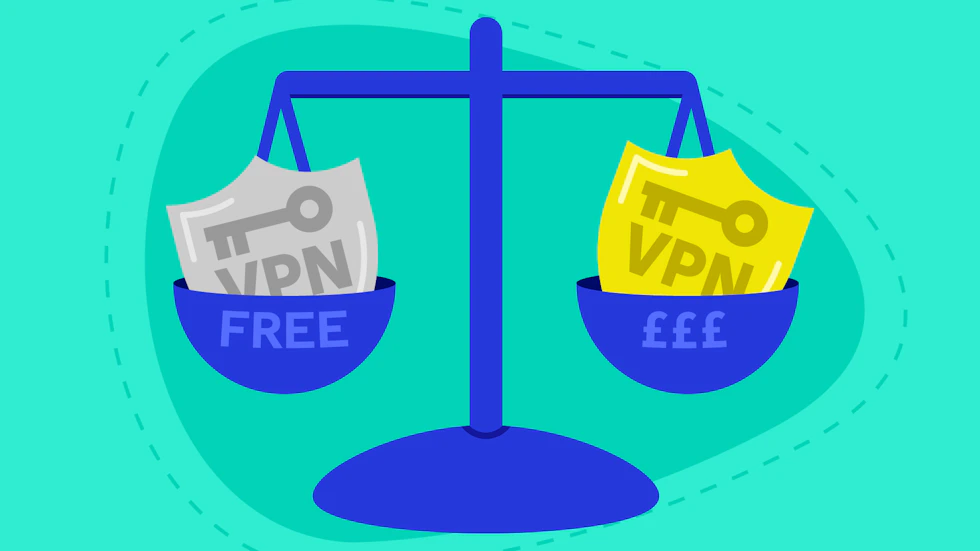
This is the question many people may turn to first. There are a lot of free VPN services out there, which for those who haven’t used a VPN before may be more enticing as to try one before committing.
Inherently, free VPNs are completely unsafe, but they certainly don’t offer the same level of protection as a reputable paid service.
| Free VPNs | Paid VPNs |
| Pros | |
| No subscription fees | Faster and more consistent connection speeds |
| Quick and easy to get started | Stronger encryption and security features |
| Suitable for light or occasional use | Access to a larger network of global servers |
| Good for testing whether a VPN is right for you | Better privacy policies and customer support |
| Cons | |
| Slower speeds due to limited servers | Monthly or annual subscription costs |
| Data usage limits are common | Features may be unnecessary for casual users |
| Fewer server locations | Choosing the right provider can take some research |
| Some free providers display adverts or collect user data | Premium features vary between providers |
For many users, a paid VPN is worth the investment. The improved speed, wider choice of server locations and stronger commitment to user privacy often provide a significantly better experience, especially if you regularly use public Wi-Fi, work remotely or simply want greater peace of mind when browsing online.
How to choose the right VPN
Choosing the right VPN is about doing your research into the top providers, free or paid, and seeing which offers the features you most want to focus on.
Making it easy, you could search up the UK’s most popular VPN providers as they will likely have what you’re looking for – your certain needs in a VPN likely won’t be completely unique.
Or, if you want to do the research yourself, here are some of the key features you should want to look out for:
- Strong encryption – Look for a VPN that uses industry-standard encryption to help keep your data secure while you’re online.
- No-logs policy – Providers with a verified no-logs policy don’t store records of your online activity, helping to improve your privacy.
- Fast connection speeds – A good VPN should have minimal impact on your browsing, streaming and download speeds.
- Wide range of server locations – More server locations give you greater flexibility and can improve performance when connecting from different countries.
- Reliable security features – Features such as a kill switch and DNS leak protection add an extra layer of security if your VPN connection drops unexpectedly.
- Multi-device compatibility – Choose a VPN that works across all the devices you use, including Windows, macOS, Android, iPhone and tablets.
- Easy-to-use apps – A simple, intuitive interface makes it easier to connect to a VPN and customise your settings, even if you’re a beginner.
- Good customer support – Responsive customer support and helpful setup guides can be invaluable if you encounter any issues.
- Transparent pricing – Compare subscription costs, contract lengths and money-back guarantees to make sure you’re getting good value for money.
Remember, the “best” VPN isn’t necessarily the most expensive one – it’s the one that offers the right balance of security, performance and features for your individual needs.