Broadband is something most of us use every day, but you’d be perfectly excused if you aren’t entirely sure how it actually works.
From fibre cables and Wi-Fi routers to download speeds and latency, broadband terminology can quickly become confusing – especially if you’re comparing deals or setting up a new connection for the first time.
This beginner’s guide explains the basics of how broadband works in simple terms, including the different types of broadband available in the UK, what affects your internet speed and the key technology behind your home connection.
Whether you’re looking to understand broadband better or simply want to know what all the jargon means, this guide covers everything you need to know.
What is broadband?
Broadband is the technology that connects your home to the internet. It allows you to browse websites, stream films, make video calls, play online games and connect smart devices using a fast, always-on connection.
Unlike older dial-up internet, broadband doesn’t require a phone line to be “free” before you can go online. Modern broadband connections are designed to deliver high-speed internet continuously, often to multiple devices at the same time.
Today, most UK homes use either fibre or full fibre, although there are other options available for broadband in more remote areas that don’t have the most up-to-date infrastructure.
How broadband works
At its core, broadband works by transferring data between your home and the wider internet.
When you open a website, stream a Netflix show or send a message, your broadband connection sends requests and receives information through a network operated by your internet service provider (ISP).
Here’s a simplified breakdown of the process:
- Your device connects to your router
- Your router connects to the broadband network
- Data travels through cables, fibre optic lines or wireless signals
- Your ISP retrieves the requested information
- The data is sent back to your device almost instantly
This entire process happens in milliseconds.
The main types of broadband in the UK
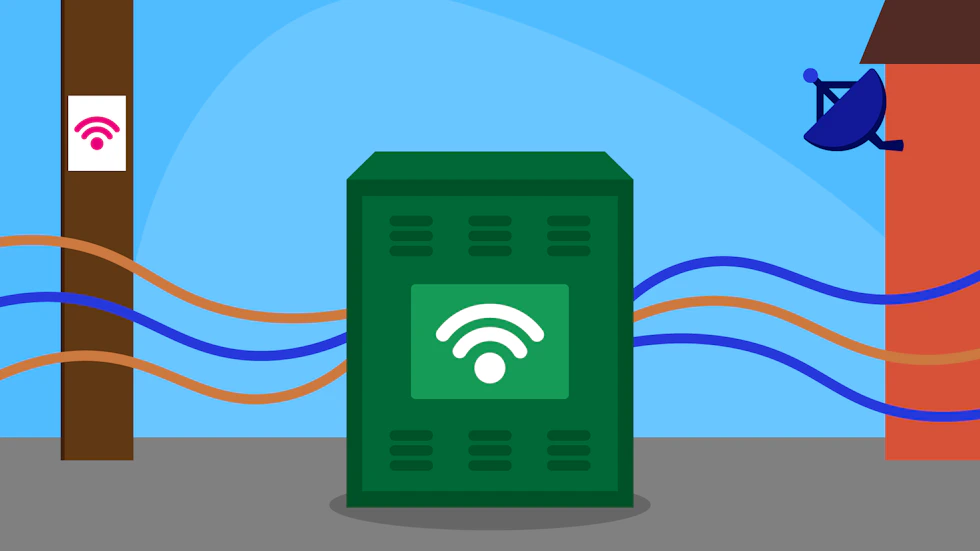
In the UK, you’ll find several types of broadband connections available. Some are more outdated now while others are aimed to provide to those who don’t have access to the latest infrastructure.
It’s key to know what’s available to you but also what’s right for you. Fibre connections and traditional connections offer something different in terms of speeds and reliability, so you should know the difference so you can better decide what would be best for your needs.
That being said, in the modern day some of the older and more traditional connections are being phased out in turn for new technology. It’s not a detriment to you, though, as you’d only be phased out of one connection in favour of a newer and better one being installed.
ADSL broadband
ADSL (Asymmetric Digital Subscriber Line) uses older, slower and less-reliable copper telephone lines to deliver internet access. This is the more traditional type of connection.
It’s one of the oldest forms of broadband still available and is generally much slower than fibre connections. Speeds can vary significantly depending on how far your property is from the local telephone exchange.
Good for:
- Basic browsing
- Emails
- Light internet use
Typical speeds:
- Around 10Mbps or less
Fibre broadband (FTTC)
FTTC stands for Fibre to the Cabinet. This type of broadband uses fibre optic cables to the street cabinet, then copper cables from the cabinet to your home.
When introduced, it brought the UK to a new era of broadband. It’s currently one of the most common broadband technologies in the UK and offers faster, more stable speeds than ADSL.
Good for:
- Streaming
- Video calls
- Family homes
- Gaming
Typical speeds:
- Around 30Mbps to 80Mbps
Full fibre broadband (FTTP)
FTTP (Fibre to the Premises), also known as full fibre broadband, uses fibre optic cables all the way to your home. It is essentially an expansion on FTTC and is helping to shift the nation.
Because there’s no copper cable involved, it can deliver significantly faster and more reliable speeds.
Good for:
- Large households
- 4K streaming
- Smart homes
- Competitive gaming
- Working from home
Typical speeds:
- 100Mbps to 1Gbps+
Mobile broadband
Moving on from the standard cable broadband which some households in the UK can’t get access to. In these cases, there are alternative options that provide a connection without the need to be hooked up to a main network directly.
One such option is mobile broadband, which uses 4G or 5G mobile networks instead of fixed cables.
Previously, mobile broadband was seen as just an on-the-go personal hotspot, but as mobile network technology advances, there are providers who offer it as a home broadband option.
Good for:
- Areas without fixed broadband
- Temporary internet
- Portable use
Satellite broadband
Like mobile broadband, satellite broadband requires no fixed cables. It connects your home to satellites orbiting Earth and is mainly used in rural or remote areas where fibre broadband isn’t available.
While coverage can be excellent, latency is often much higher than fixed broadband connections.
Good for:
- Connecting more isolated homes
- Stronger, more consistent connection than mobile
What equipment is needed?

Router
Your router distributes the internet connection around your home, usually through Wi-Fi. Most providers include a router when you sign up for broadband.
Modem
A modem connects your home to the broadband network. In many modern routers, the modem is built into the same device.
ONT (Optical Network Terminal)
If you have full fibre broadband, you’ll usually have an ONT installed inside your home. This converts the fibre optic signal into a connection your router can use.
Understanding broadband speeds
Broadband speeds are usually measured in Mbps (megabits per second).
The higher the number, the faster downloads will be, the smoother streaming becomes, and the better multiple devices can work simultaneously without affecting the overall speed and quality of the WiFi.
As a rough guide:
| Activity | Recommended speed |
| Browsing and email | 10Mbps |
| HD streaming | 25Mbps |
| 4K streaming | 50Mbps+ |
| Online gaming | 30Mbps+ |
| Large households | 100Mbps+ |
Download vs upload speeds
When it comes to speeds, there are two main sets of numbers to concern yourself with; download speed and upload speed.
These two play a different yet equally as important function.
Download speed
This measures how quickly information reaches your device. Typically you’ll see a services download speed over upload as it is usually the higher value and provides the data necessary for things like:
- Streaming
- Web browsing
- Downloading files
Upload speed
This measures how quickly data leaves your device. While not always displayed immediately when browsing suitable packages, all providers are required to let you know of the expected upload speed you may receive.
In the modern day where working from home is more prevalent, finding a package with a solid upload speed is paramount as it affects:
- Video calls
- Uploading files
- Cloud backups
- Livestreaming
Some full fibre providers offer symmetrical speeds, where upload and download speeds are of equal speed.
What affects your broadband speed?
Several factors can slow down your broadband and can affect how fast and reliable your connection feels in everyday use.
One of the biggest influences is the type of broadband available at your property. Older ADSL connections, which rely heavily on copper phone lines, are typically much slower than fibre or full fibre broadband.
Your distance from the nearest street cabinet or exchange can also make a difference, particularly with copper-based connections, as speeds often decrease over longer distances.
Your internet speed can also be affected by what’s happening inside your home. Wi-Fi signals weaken as they travel through walls, floors and furniture, meaning devices further away from the router may experience slower speeds or unstable connections.
The number of connected devices matters too, especially in busy households where multiple people are streaming, gaming or video calling at the same time. Older routers may struggle to handle modern internet demands, while wireless interference from nearby networks or household electronics can reduce performance further.
Broadband networks can also become congested during peak evening hours when many households are online simultaneously. This is why speeds may sometimes feel slower at night compared to early mornings or during the working day.
In some cases, internet providers may also use traffic management policies to temporarily prioritise certain types of internet usage over others during busy periods.
Even with a fast broadband package, real-world performance depends on a combination of your broadband technology, home setup, device quality and overall network demand. This is why two households with the same advertised speeds may still experience noticeably different results in practice.
What is WiFi?
It is important to know that there is a difference between broadband and WiFi, as many people think they are the same thing and the terms can be used interchangeably.
WiFi is the wireless connection between your router and devices, while broadband is the internet connection itself. The two work together to provide a wireless connection – the key word there being wireless.
If you have a device connected to the router via an Ethernet cable, you wouldn’t say that device is on the WiFi as it’s not connected to the broadband wirelessly.
Broadband and gaming

When it comes to gaming, a stable broadband connection is often more important than raw speed alone. Low latency and reliable performance help reduce lag, improve response times and keep online matches running smoothly.
Fibre and full fibre broadband are usually the best options for gaming households, especially where multiple people are streaming or downloading at the same time.
If you’re choosing a package specifically for gaming, it’s worth understanding exactly what gamers should look for in a broadband connection.
What is latency?
Latency refers to the delay between sending and receiving data. You may have heard it referred to as “ping”, especially when gaming, and while these two do go hand in hand, ping actually refers to the tool or test used to measure the delay, rather than latency being the actual delay in the connection.
Latency is measured in milliseconds (ms) and like in golf, a higher number is not good when referring to latency. Lower latency means faster response times, which leads to smoother online gaming and better video calls.
What is a data cap?
A data cap is a limit on how much internet data you can use each month. Once you reach the limit, your provider may slow your speeds, charge extra fees or temporarily restrict your connection.
Most modern home broadband deals now include unlimited data, which is usually the best option for streaming, gaming and households with multiple connected devices.
What is full fibre rollout?
Full fibre rollout refers to the ongoing expansion of FTTP (Fibre to the Premises) broadband networks across the UK. Internet providers and network operators are replacing older copper-based infrastructure with fibre optic cables that connect directly to homes and businesses.
This upgrade allows for faster, more reliable broadband with improved upload and download speeds.
The rollout is also closely linked to the UK’s PSTN switch-off, which is gradually phasing out traditional landline technology in favour of digital connections.