Start watching all your favourite content for less.
Cable and satellite TV was once the only way to watch your favourite shows. But with streaming services, fast broadband, and affordable devices, it’s now easier than ever to ditch expensive TV contracts and build your own entertainment setup.
This process is often called “cutting the cord”- replacing traditional TV packages with internet-based streaming services. The biggest advantage? You only pay for the content you actually watch, which can save hundreds each year.
If you’re thinking about making the switch, here’s a straightforward guide to creating a low-cost streaming setup that still gives you plenty to watch.
What “Cutting the Cord” actually means
Cutting the cord simply means canceling your cable or satellite TV subscription and relying on internet streaming services instead.
In the past, TV viewers had to pay for large bundles of channels through providers like Sky or Virgin. Streaming changes that model completely.
Instead of channels and broadcast schedules, you watch shows on demand through apps such as Netflix, Disney+, or Prime Video.
Benefits of cord-cutting include:
- Lower monthly costs
- No long-term contracts
- Watching on multiple devices
- Access to on-demand libraries instead of fixed schedules
For many households, it’s the simplest way to take control of entertainment spending.
The 4 essentials of a low-cost streaming setup
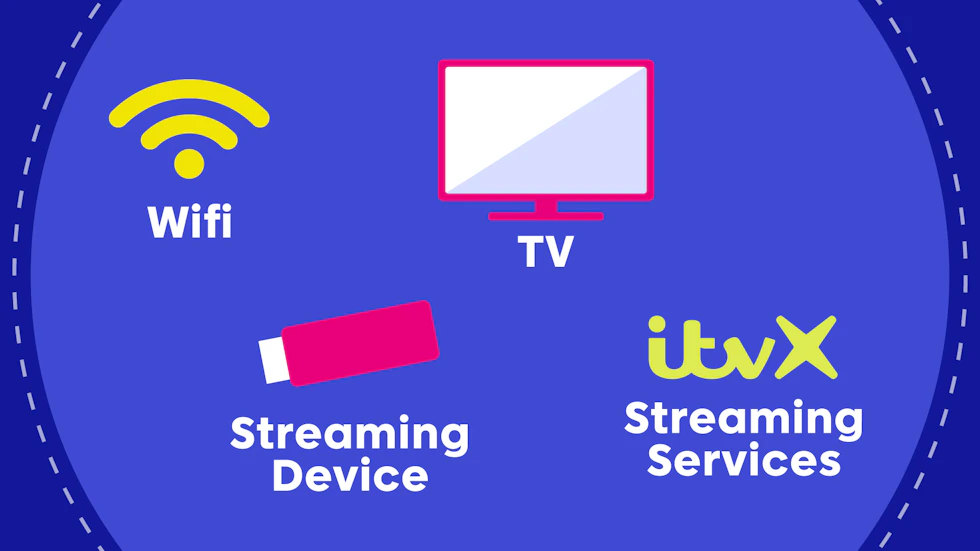
Building your own streaming system is surprisingly simple. Most people only need four things.
1. A reliable internet connection
Streaming TV runs entirely through your internet connection, so stable broadband is essential.
As a general guide:
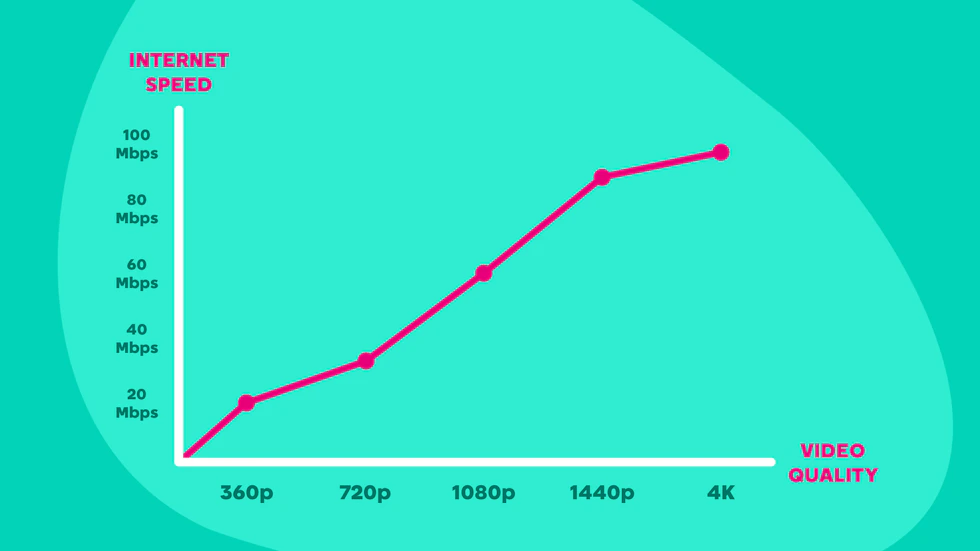
- 5-10Mbps – Standard-definition streaming
- 10-20Mbps – HD streaming
- 25+ Mbps – 4K streaming
If several people stream at once, you’ll need higher speeds to avoid buffering. A broadband connection of around 100Mbps is usually more than enough for most homes with multiple devices.
2. A TV (smart or standard)
You don’t necessarily need a brand-new smart TV.
Two main options work:
Smart TV
Many modern televisions include built-in apps like Netflix and YouTube, with an app store available to allow you to download more (if they are available).
Standard TV with HDMI
If your TV has an HDMI port, you can simply plug in a streaming device to add smart features. This means older TVs can still work perfectly with a modern streaming setup.
The beauty of streaming is that you can actually cut out the TV as a whole and just opt for using a laptop or tablet. But if you are switching from traditional TV, the likelihood is that you’ve got a TV and would prefer engrossing yourself in certain content on a bigger screen.
After all, Interstellar gets dramatically better the bigger the screen gets.
3. A streaming device
If your TV isn’t smart – or if its built-in apps are slow – you can use a dedicated streaming device, like an Amazon Fire Stick or Roku streaming player.
These devices plug into your TV’s HDMI port and give you access to streaming apps through Wi-Fi.
Most entry-level models cost between £30 and £50 (one-time payment), making them an affordable upgrade.
4. Streaming services
The final piece of the puzzle is choosing what to watch.
Instead of paying for hundreds of channels, you subscribe to individual services that suit your tastes.
Examples include:
Movies and TV shows
- Netflix
- Amazon Prime Video
- Disney+
- Apple TV
Sport
- NOW (Sports membership)
- HBO Max (starting on 26th March)
- Premier Sports
Live TV options
- Live channel apps
- ITVX
- BBC iPlayer
Free streaming platforms
- Pluto TV
- Tubi
- Free ad-supported apps
Many people mix one or two paid subscriptions with free apps to keep costs low.
Sports channels are often the most expensive service/option, but that is the same with traditional TV.
Choosing the right broadband for streaming
If you’re planning to cut the cord, your broadband connection becomes your TV signal. Instead of cable or satellite delivering channels, everything you watch will stream through your internet connection.
That means the quality of your broadband plays a huge role in how smooth your viewing experience is.
Recommended speeds for streaming
As explained earlier, there are recommended speeds needed for video quality. The higher speed your broadband is capable of, the better the streaming service will be able to continuously deliver the best quality.
If you live alone and only stream on one device, a modest broadband package may be enough. However, most households today have multiple devices connected at the same time.
For example:
- Someone streaming Netflix in the living room
- Another person watching YouTube on a tablet
- Phones, laptops, and smart home devices connected to WiFi
In these cases, slower broadband plans can quickly become overloaded.
The trade-off: Cost vs performance
When cutting the cord, many people try to reduce their monthly bills as much as possible. But going for the absolute cheapest broadband plan isn’t always the best move.
A slightly faster plan often delivers a much smoother experience, especially when:
- Several people stream at the same time
- You watch in HD or 4K
- Other devices are using the internet in the background
For most homes, broadband speeds of around 50-100Mbps provide a good balance between affordability and performance, but if you are a larger household with heavier usage, more may be needed.
Why full fibre broadband is often the best option
If full fibre broadband is available in your area, it’s usually the most reliable choice for streaming. Fibre connections tend to offer:
- Faster download speeds
- More stable connections
- Less buffering when multiple devices are online
This makes it easier to stream movies, sports, and live TV without interruptions. It also helps having a generally faster and more stable connection around the home for other things like video gaming, working from home and video calls.
How much money can you save?
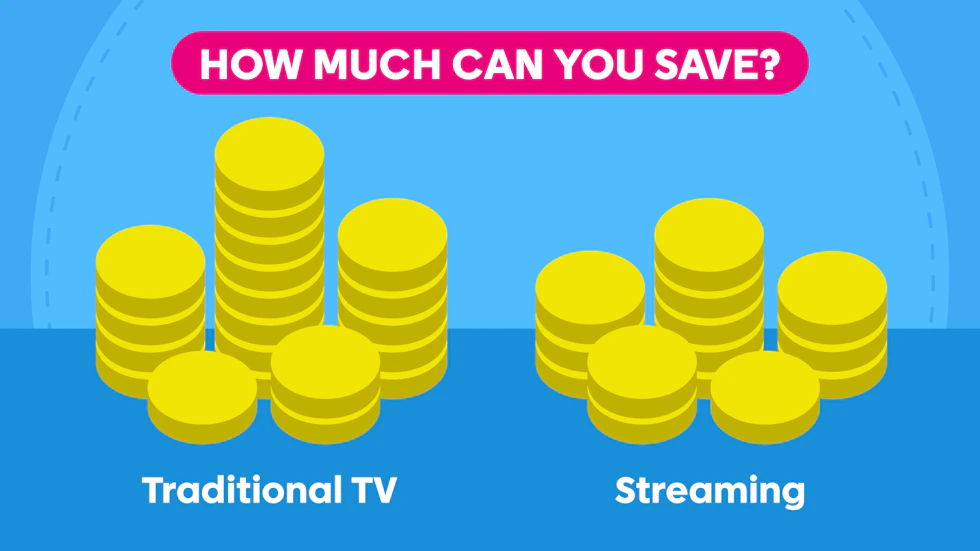
There is no one answer to how much money you can save opting for a full streaming setup for your home because it depends on the choices you make and would have/had made.
If you had standard cable or satellite TV beforehand then you can make a direct comparison. You take how much you were spending before, find out the costs of what you plan on getting and see the difference.
But if you’re going from nothing and weighing up your options, like when you’ve just moved into a new home, then you simply look at how much each individual part to the setup would be (traditional TV package cost vs streaming service + broadband)
Traditional TV packages can easily cost £30 to £80 per month or more, depending on the bundle, so you can take that as a general mark. Do bare in mind, though, that the lower figure is for a super basic package that might not get you much.
A low-cost streaming setup might look like this:
| Setup | Monthly Cost |
| Broadband | £25 – £35 |
| One streaming service | £8 – £15 |
| Free streaming apps | £0 |
| Total = | ~£33 – £50 + cost of streaming device (if required) |
Even with two subscriptions, many people still spend less than a typical cable package.
Of course, as mentioned earlier, if you are adding sports subscriptions to the equation than the cost will be fairly higher than that estimate. But again, the same goes for traditional TV.
Subscription rotation
One of the easiest ways to keep costs down is rotating streaming services. It is a bit of a hassle having to manually remember to cancel and restart each service, but in the long run it can save you big.
For example:
- Subscribe to Netflix for a month
- Watch what you want
- Cancel and switch to another platform
Because most services have no long contracts, you can easily move between them. This does of course mean you have to be sure when signing up that you’re going for a monthly rolling contract, which would allow you to cancel whenever you’d like.
Final thoughts
Cutting the cord isn’t just about saving money – it’s about building a TV setup that fits your viewing habits.
Instead of paying for hundreds of channels you never watch, streaming lets you choose exactly what you want to see. With a modest broadband connection, a £30 streaming device, and a couple of subscriptions, you can create a flexible and affordable entertainment system.
For many households, it’s the easiest way to modernise your TV experience – and keep your monthly bills under control.